
Creating custom maps no longer requires expensive software or technical expertise. In 2026, free mapping tools have become remarkably powerful, offering everything from simple point-and-click map creation to sophisticated data visualization and real-time collaboration.
Whether you're plotting locations for a road trip, visualizing business data, or creating interactive maps for a presentation, there's a free tool that fits your needs. The best part? Many of these tools work entirely in your browser—no downloads, no installations, no hassle.
Here's our guide to the best free mapping tools available in 2026.
1. Atlas
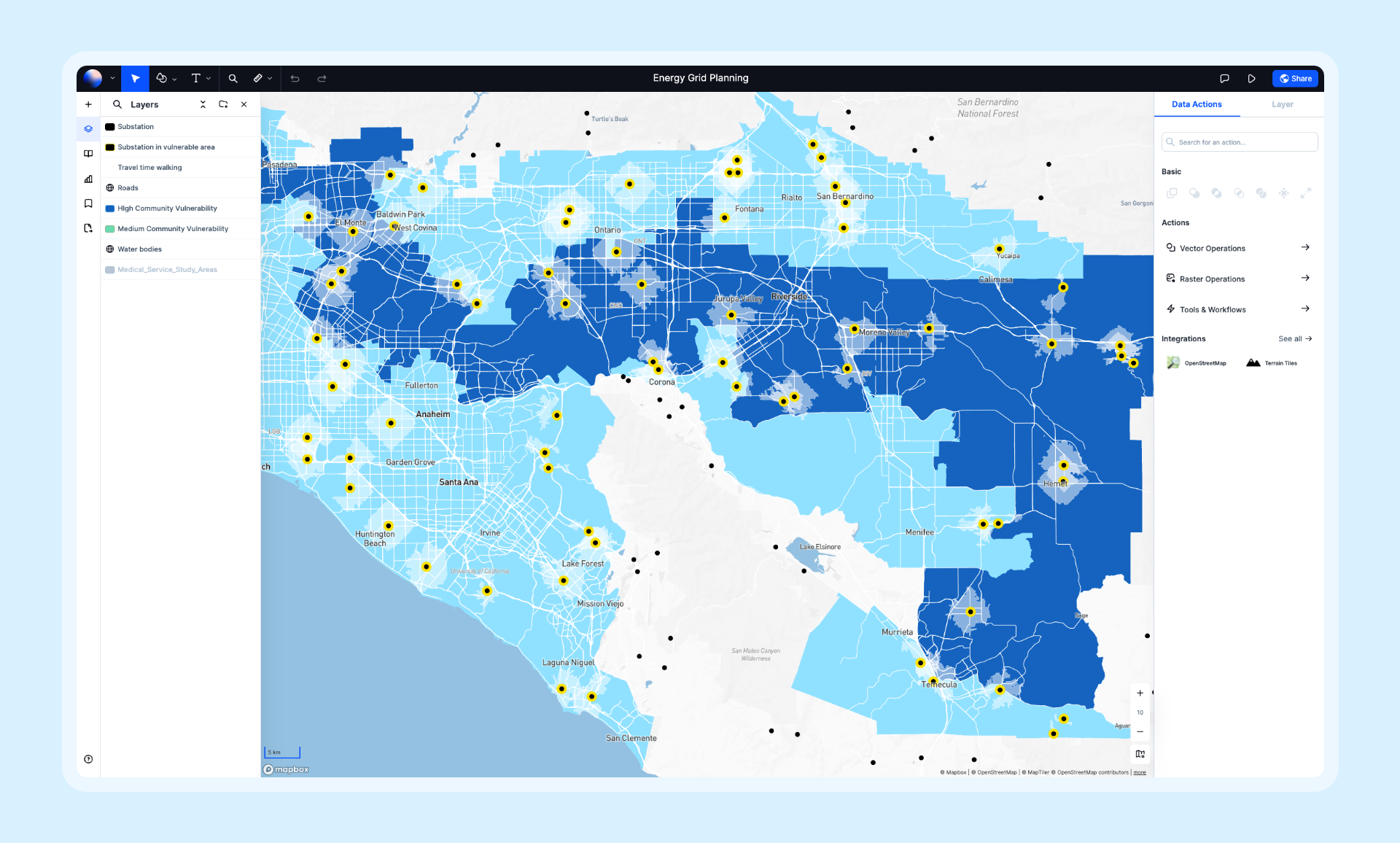
Atlas offers a generous free tier that includes powerful mapping and visualization features. It's designed for both casual users and professionals, with an interface that's intuitive enough for beginners yet capable enough for serious work.
- Features: Data visualization, layer styling, real-time collaboration, AI-powered insights, 50+ spatial operations, and support for dozens of data formats including CSV, GeoJSON, and Shapefiles.
- Best For: Anyone who needs professional-quality maps without the complexity of traditional GIS.
- Pros: Modern interface, real-time collaboration, works entirely in browser, regular feature updates.
- Cons: Some advanced features require paid plans.
- Website: Atlas
2. Google My Maps
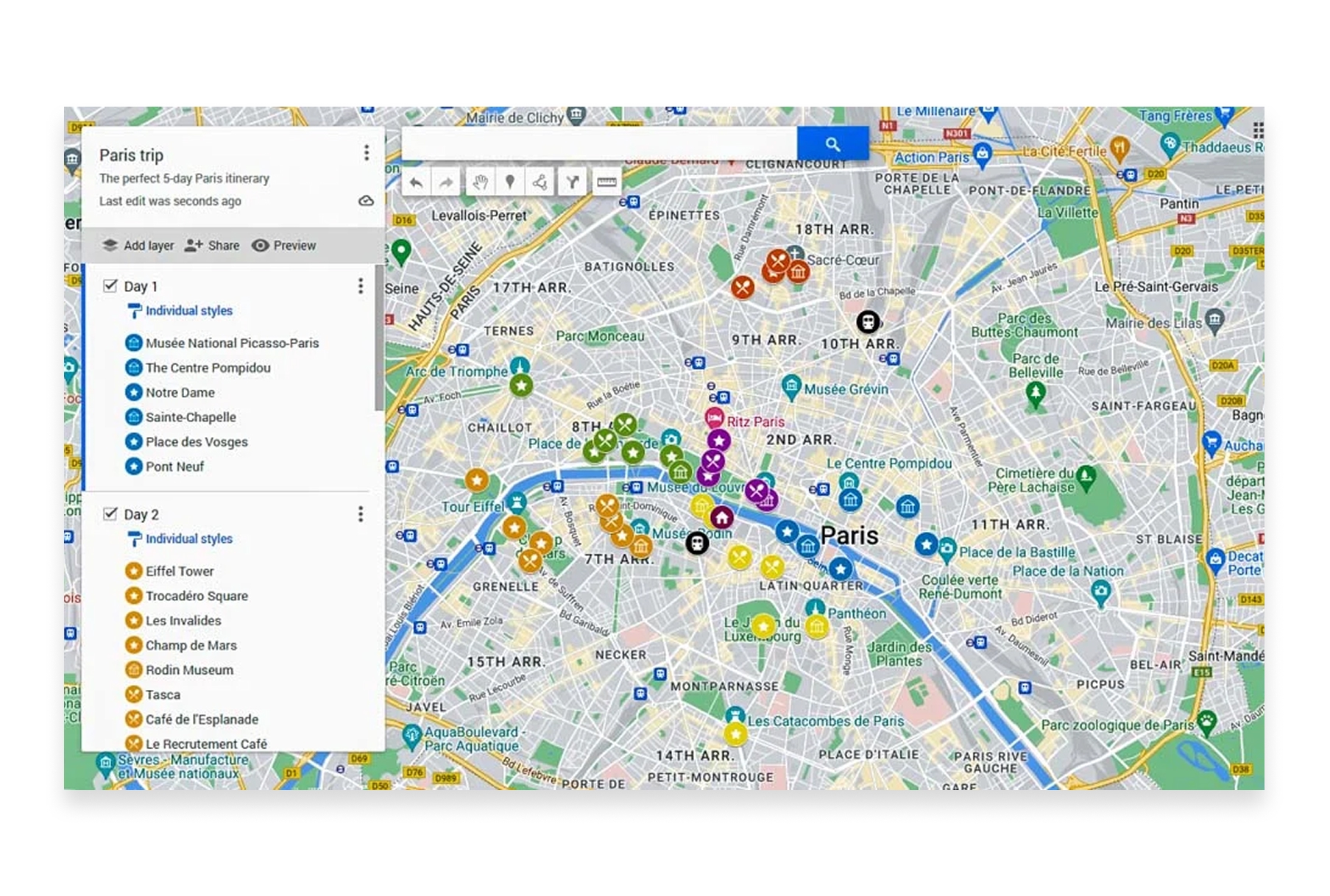
Google My Maps is the simplest way to create custom maps with Google's familiar interface. It's perfect for quick projects, trip planning, and sharing locations with others.
- Features: Custom markers and icons, drawing tools, import from spreadsheets/CSV/KML, layer organization, easy sharing, and Google Drive integration.
- Best For: Personal projects, trip planning, and simple location sharing.
- Pros: Extremely beginner-friendly, integrates with Google ecosystem, free with Google account, familiar interface.
- Cons: Limited styling options, no spatial analysis, basic feature set, 10,000 feature limit per layer.
- Website: Google My Maps
3. Kepler.gl
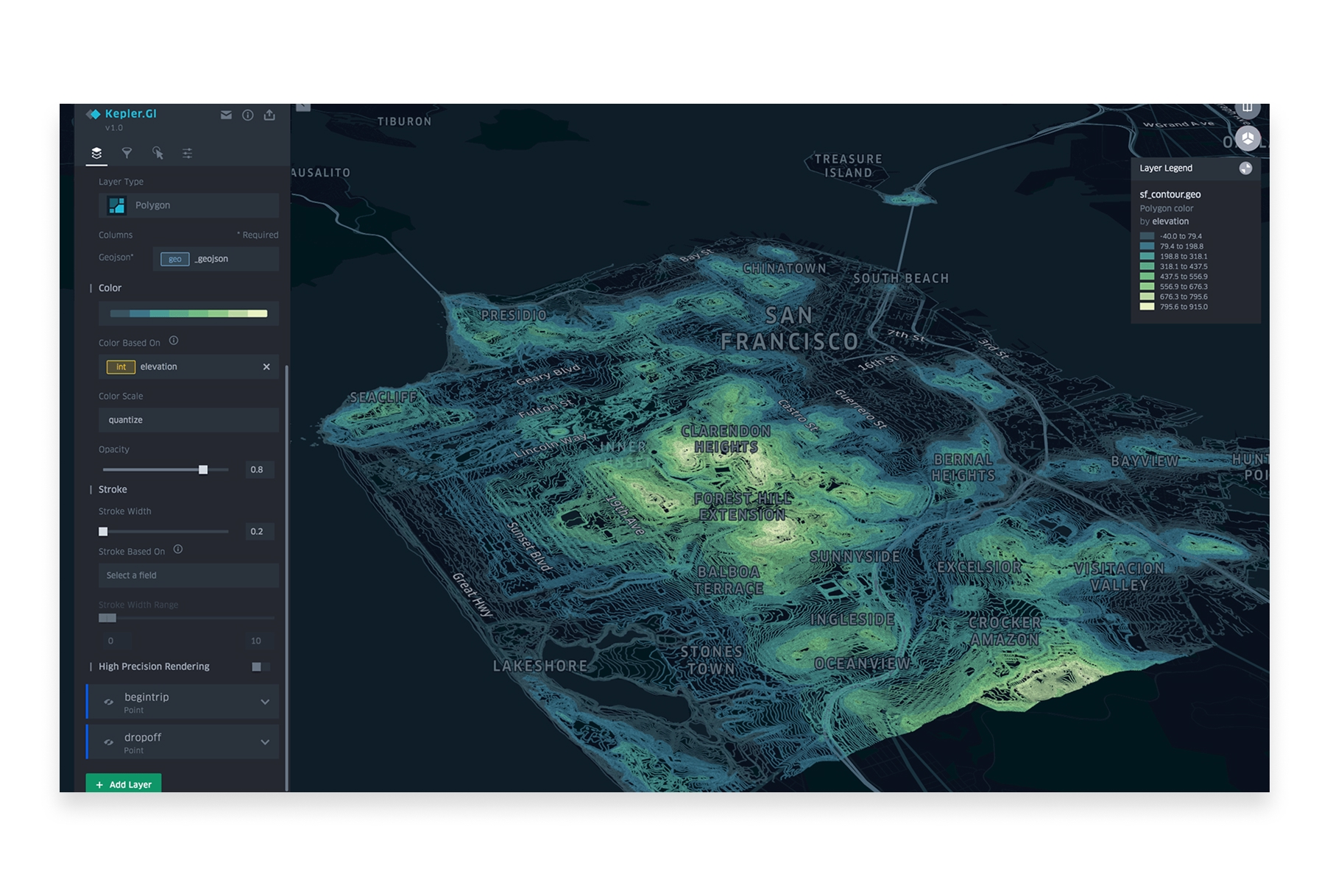
Kepler.gl is an open-source visualization tool developed by Uber that excels at creating stunning maps from large datasets. It runs entirely in your browser and can handle millions of data points with impressive performance.
- Features: Large dataset visualization, time-series animations, 3D views, heatmaps, arc layers, hexbin aggregation, filtering, and multiple export options.
- Best For: Data scientists and analysts visualizing large spatial datasets.
- Pros: Handles massive datasets, beautiful visualizations, completely free, no account required, open-source.
- Cons: No data storage (browser-based only), requires some technical comfort, visualization-focused rather than analysis.
- Website: Kepler.gl
4. QGIS
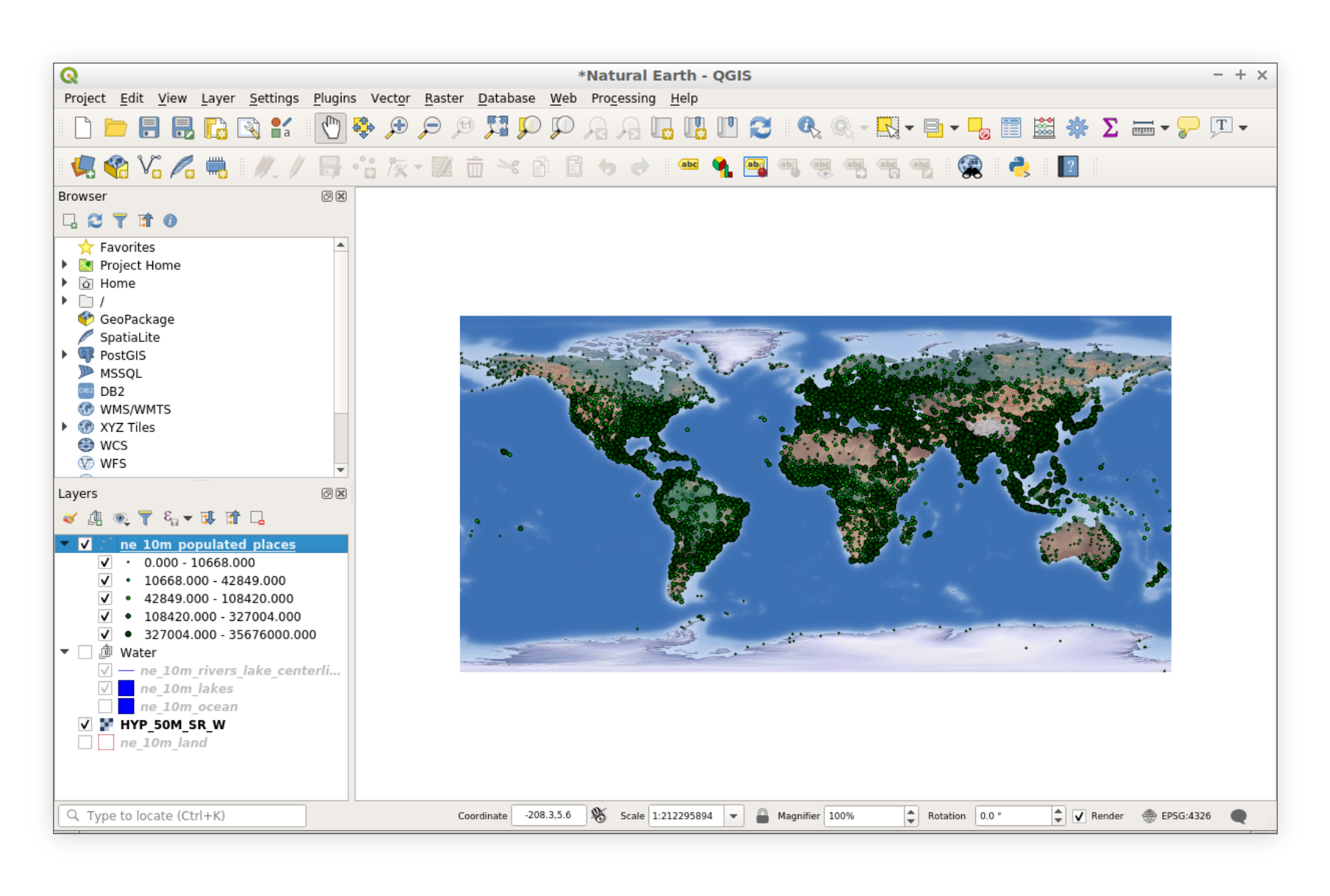
QGIS is the most powerful free mapping tool available—a full-featured desktop GIS that rivals expensive commercial software. It's open-source with thousands of plugins and an active global community.
- Features: Complete GIS functionality, map composition, spatial analysis, plugin ecosystem, Python scripting, print layouts, and support for virtually every data format.
- Best For: Users who need professional GIS capabilities without licensing costs.
- Pros: Completely free, incredibly powerful, massive community support, cross-platform, highly extensible.
- Cons: Steeper learning curve, desktop-only, collaboration requires file sharing.
- Website: QGIS
5. uMap
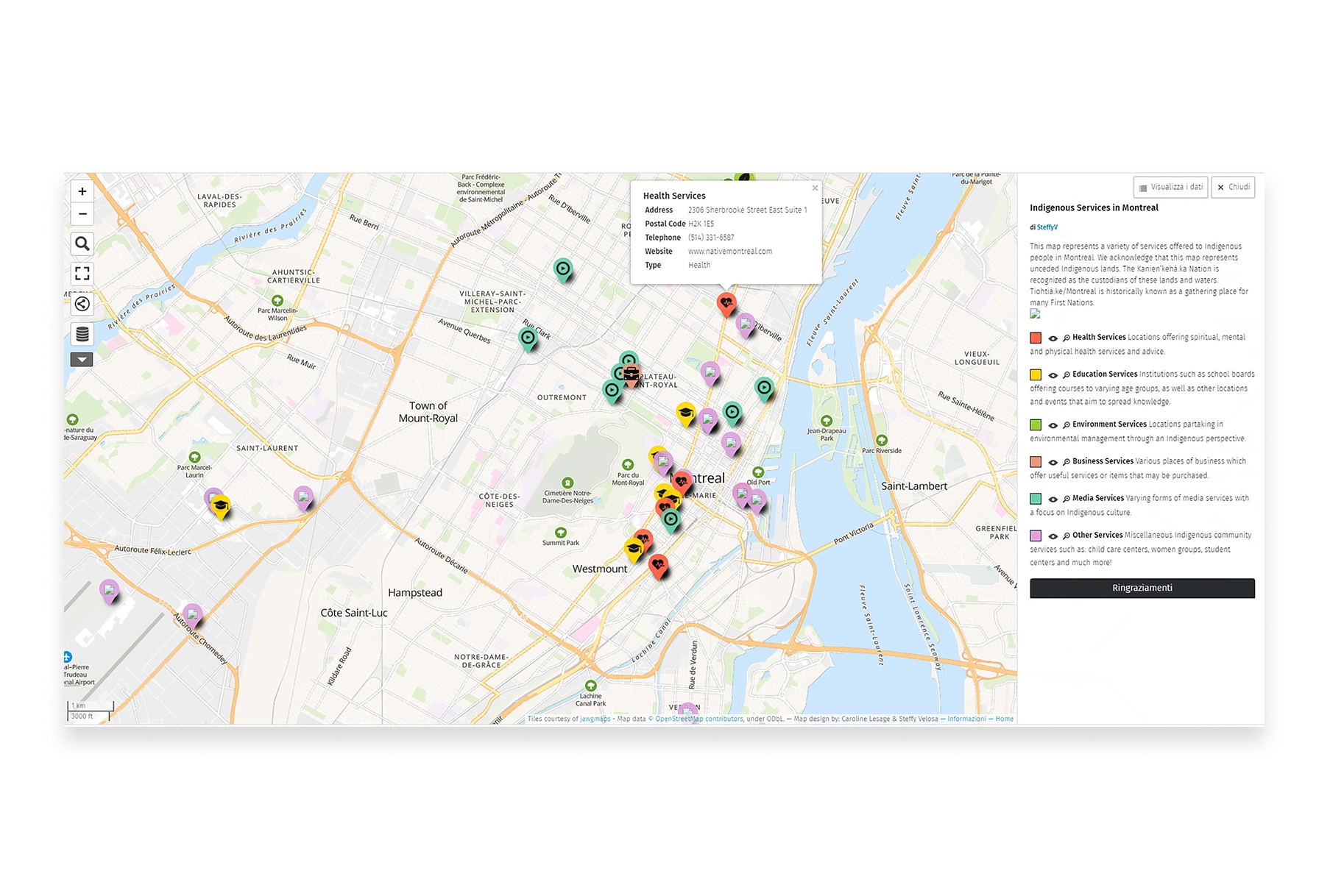
uMap lets you create maps with OpenStreetMap layers in minutes. It's a lightweight, open-source tool perfect for creating embeddable maps for websites and quick visualizations.
- Features: Multiple layer types, custom markers, import GeoJSON/CSV/GPX, embeddable maps, collaborative editing, and various basemap options.
- Best For: Quick map creation and embedding maps on websites.
- Pros: Very simple to use, no account required, open-source, easy embedding, OpenStreetMap integration.
- Cons: Limited styling options, basic functionality, no spatial analysis.
- Website: uMap
6. Google Earth Pro
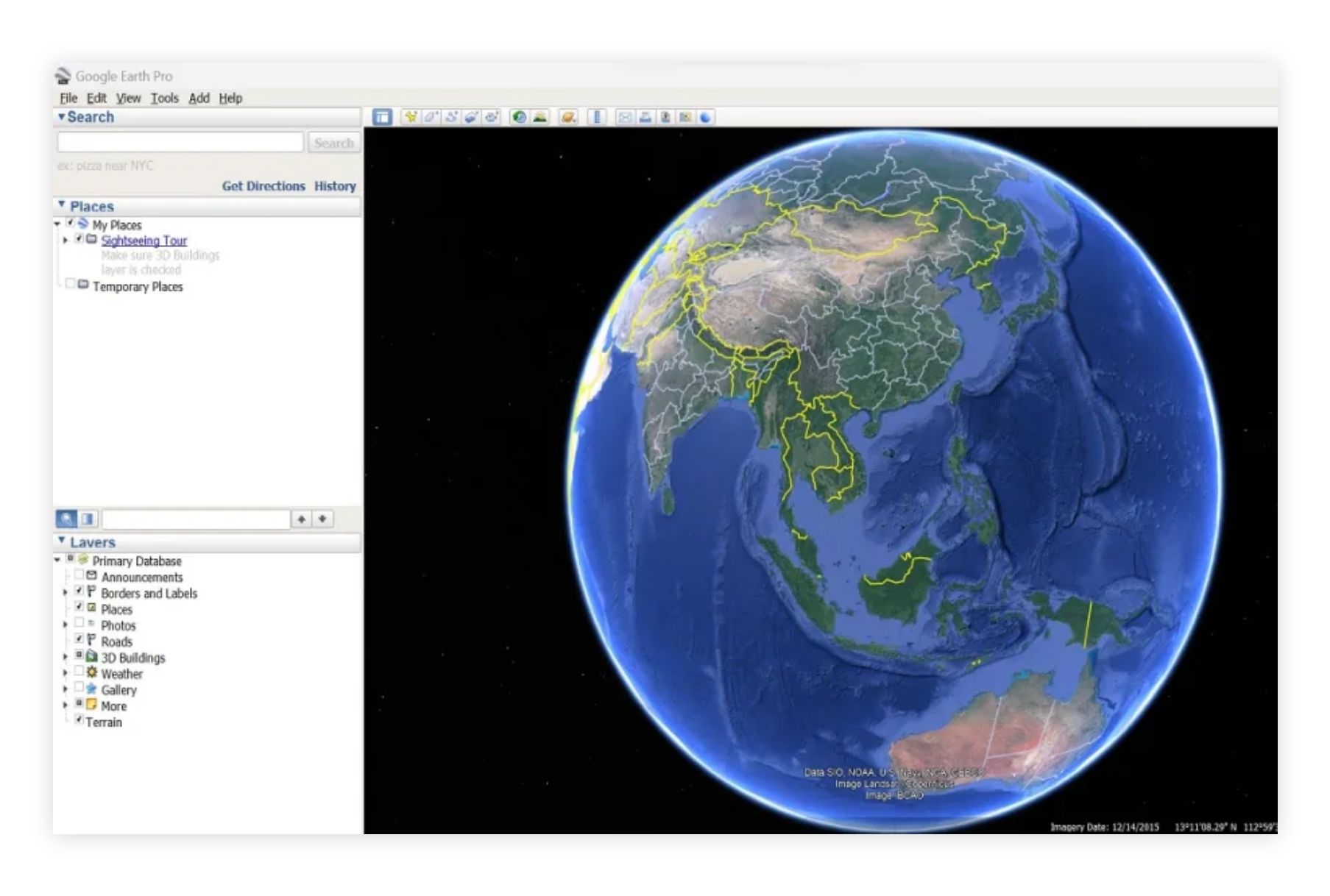
Google Earth Pro is a powerful desktop application for exploring and visualizing geographic data. Once a $399/year product, it's now completely free and offers impressive visualization capabilities.
- Features: High-resolution satellite imagery, 3D terrain and buildings, historical imagery, measurement tools, movie creation, and KML import/export.
- Best For: Exploration, presentations, and visualizing data over satellite imagery.
- Pros: Stunning imagery, 3D visualization, historical imagery archive, completely free, great for presentations.
- Cons: Not a full GIS, limited analysis capabilities, requires desktop installation.
- Website: Google Earth Pro
7. Mapbox Studio (Free Tier)
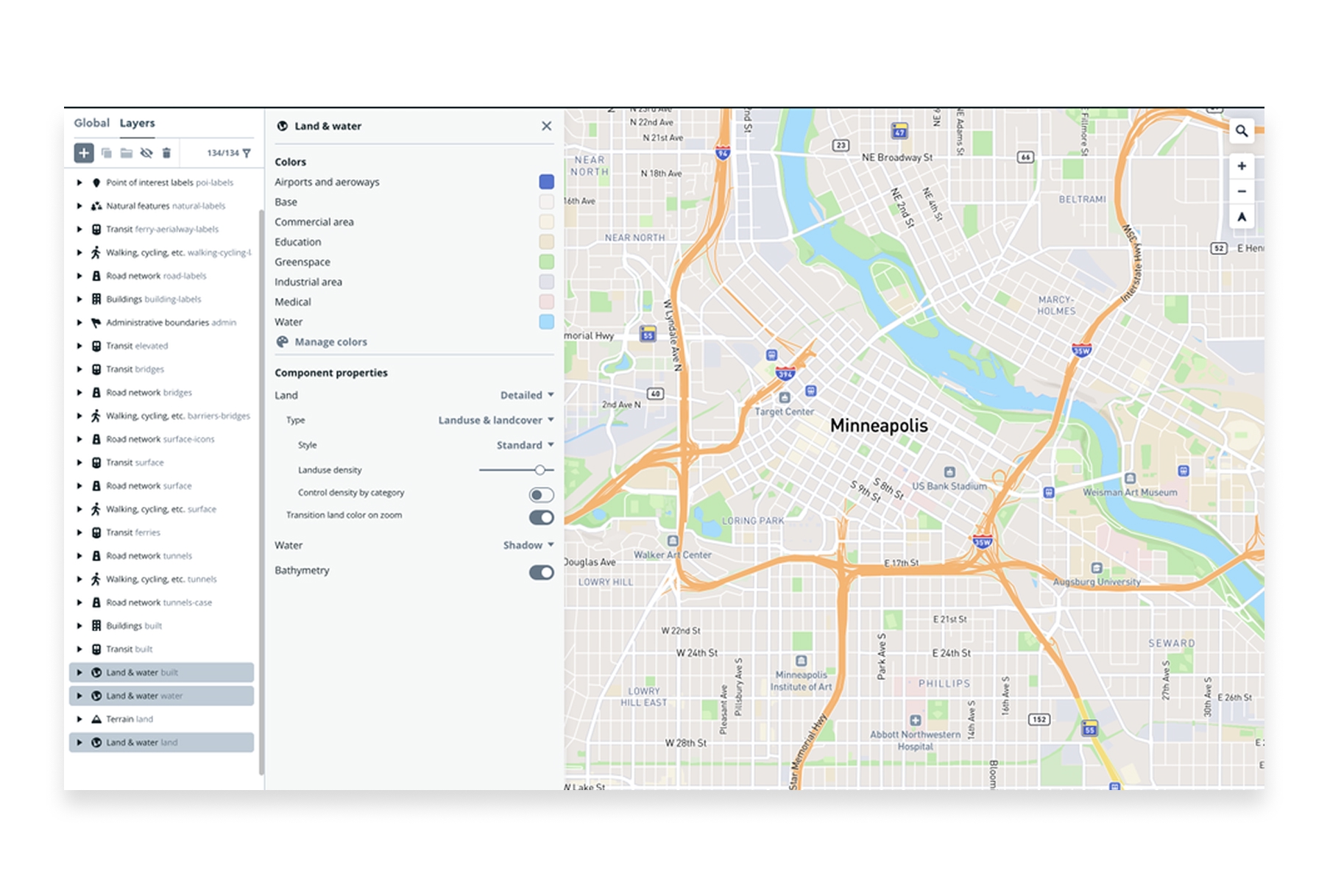
Mapbox Studio offers a generous free tier for creating custom map styles. It's the same tool used by companies like Strava and The New York Times to create their distinctive maps.
- Features: Custom map styling, data upload, tileset creation, beautiful basemaps, and API access for web embedding.
- Best For: Designers and developers creating custom-styled maps.
- Pros: Professional-quality map design, beautiful defaults, powerful customization, good free tier.
- Cons: Requires some technical knowledge, usage limits on free tier, more complex than simple mapping tools.
- Website: Mapbox Studio
8. Datawrapper
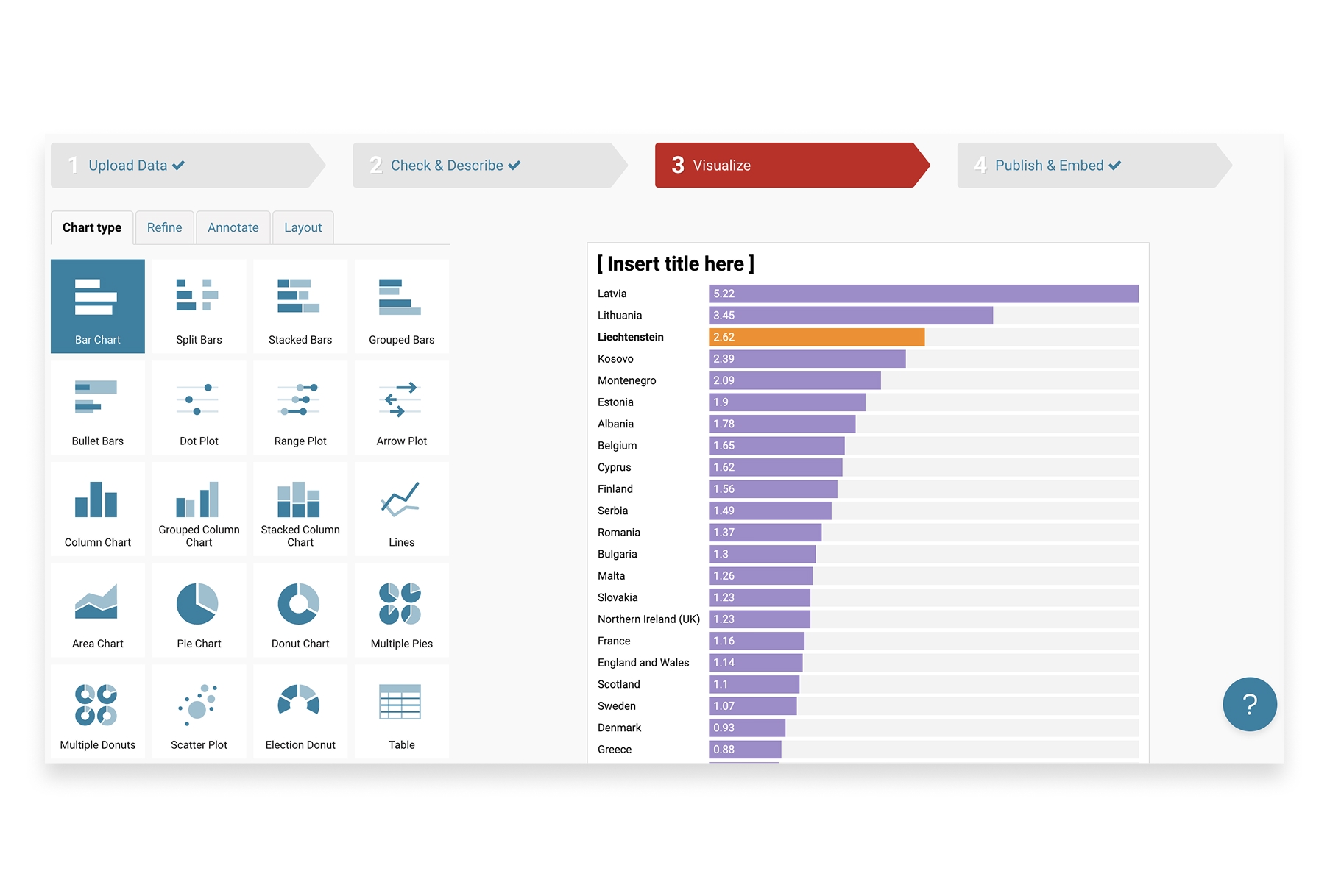
Datawrapper is a data visualization tool popular with journalists and publishers. Its mapping features make it easy to create choropleth maps and symbol maps from spreadsheet data.
- Features: Choropleth maps, symbol maps, locator maps, data import from spreadsheets, responsive embeds, and publication-ready exports.
- Best For: Journalists, publishers, and anyone creating maps for articles or reports.
- Pros: Very easy to use, publication-ready output, responsive design, good documentation.
- Cons: Limited to specific map types, customization constraints, some features require paid plans.
- Website: Datawrapper
9. Scribble Maps
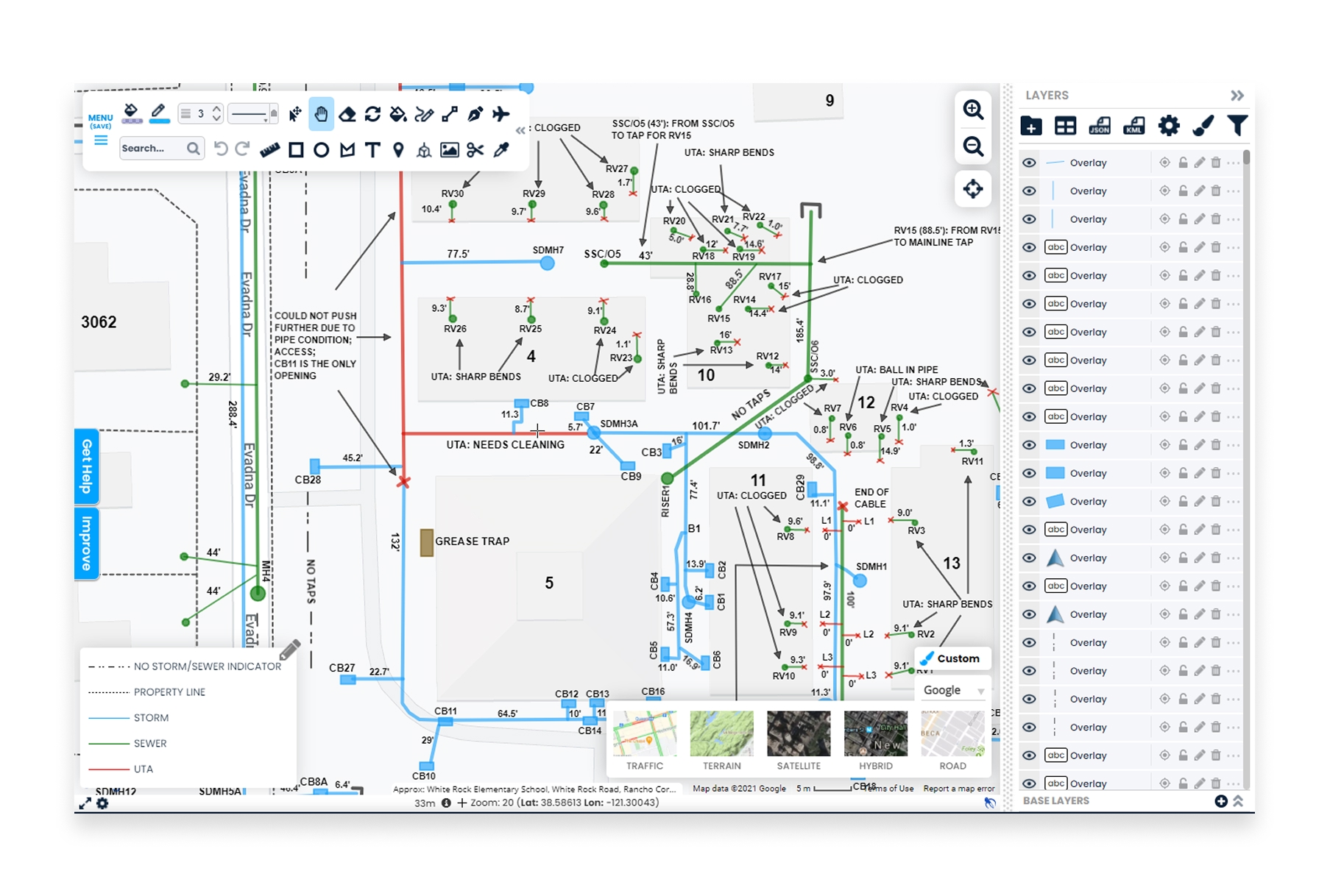
Scribble Maps is a straightforward online mapping tool that lets you draw, annotate, and share maps quickly. It's perfect for sketching out ideas or creating simple custom maps.
- Features: Drawing tools, markers, shapes, routes, import KML/GPX/GeoJSON, image overlays, and various export formats.
- Best For: Quick sketches, annotations, and simple map creation.
- Pros: Very beginner-friendly, no account required for basic use, intuitive drawing tools.
- Cons: Some features require paid plans, limited analysis, basic styling options.
- Website: Scribble Maps
10. OpenStreetMap
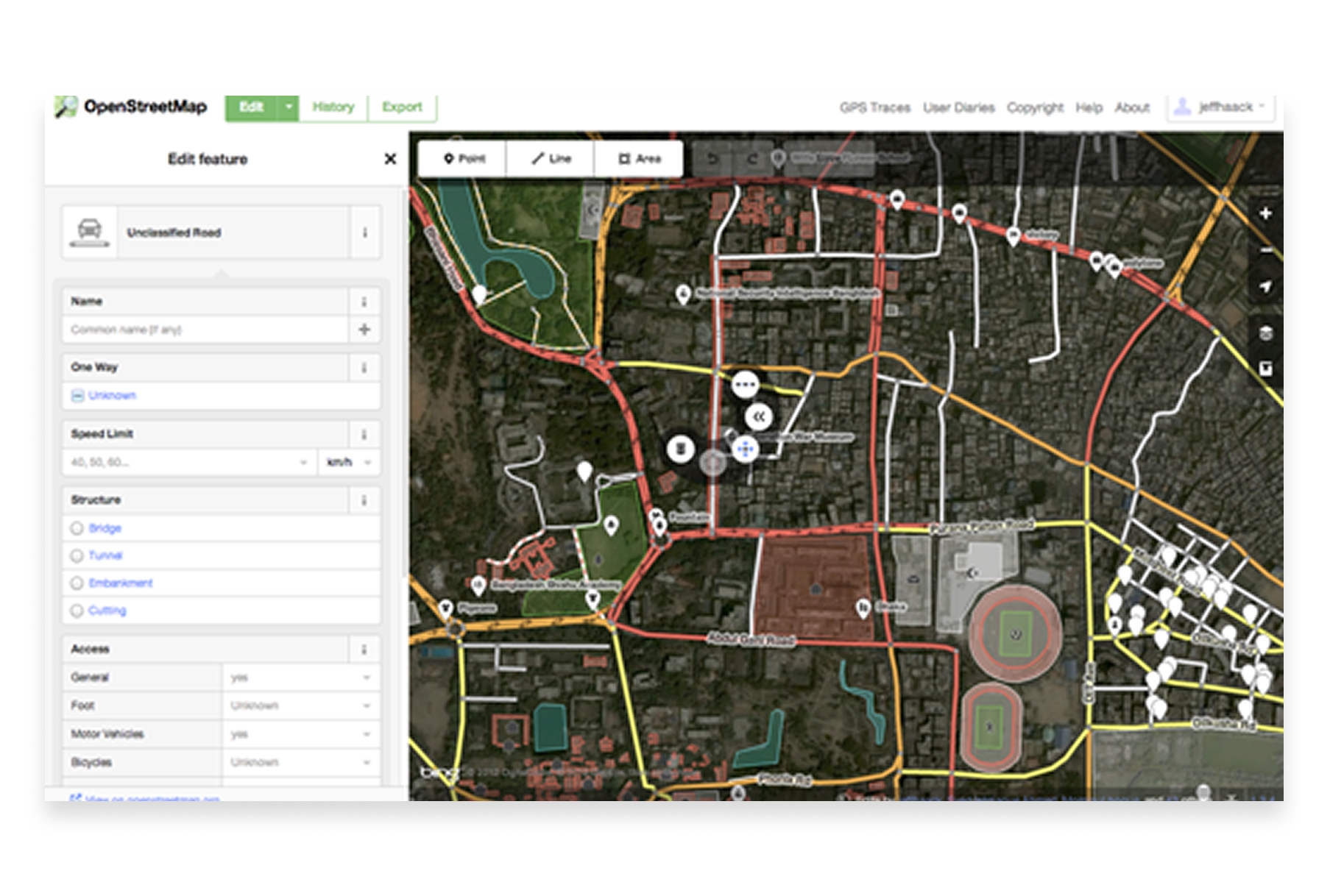
OpenStreetMap (OSM) is the Wikipedia of maps—a collaborative, open-source map of the world that anyone can edit. Beyond viewing, OSM data powers countless mapping applications and can be downloaded for your own projects.
- Features: Editable world map, free data downloads, community-driven updates, API access, and various rendering styles.
- Best For: Accessing free map data, contributing to open mapping, and building applications with open data.
- Pros: Completely free and open, global coverage, active community, data can be downloaded and used freely.
- Cons: Not a mapping tool per se (more of a data source), editing requires learning the system.
- Website: OpenStreetMap
Choosing the Right Free Mapping Tool
The best free mapping tool depends on what you're trying to accomplish:
- For quick, simple maps: Google My Maps or Scribble Maps get you mapping in seconds.
- For professional collaborative mapping: Atlas offers the best balance of power and ease of use.
- For large dataset visualization: Kepler.gl handles millions of points beautifully.
- For maximum power (free): QGIS provides full GIS capabilities at no cost.
- For custom map styling: Mapbox Studio gives you designer-level control.
- For embeddable web maps: uMap or Datawrapper create clean, shareable embeds.
- For exploration and presentations: Google Earth Pro offers stunning 3D visualization.
Free Mapping Has Never Been Better
The democratization of mapping tools means anyone can create professional-quality maps without spending money on software licenses. From simple location plotting to sophisticated data visualization, free tools now cover virtually every mapping need.
The key is matching the tool to your workflow. Simple projects don't need complex software, and complex projects deserve tools built for the task. With this guide, you can find the right free mapping tool for whatever you're building.



