This week delivered significant visual enhancements and user experience improvements across Atlas, with new mapping options and refined mobile functionality taking center stage.
Features
Five New Basemaps
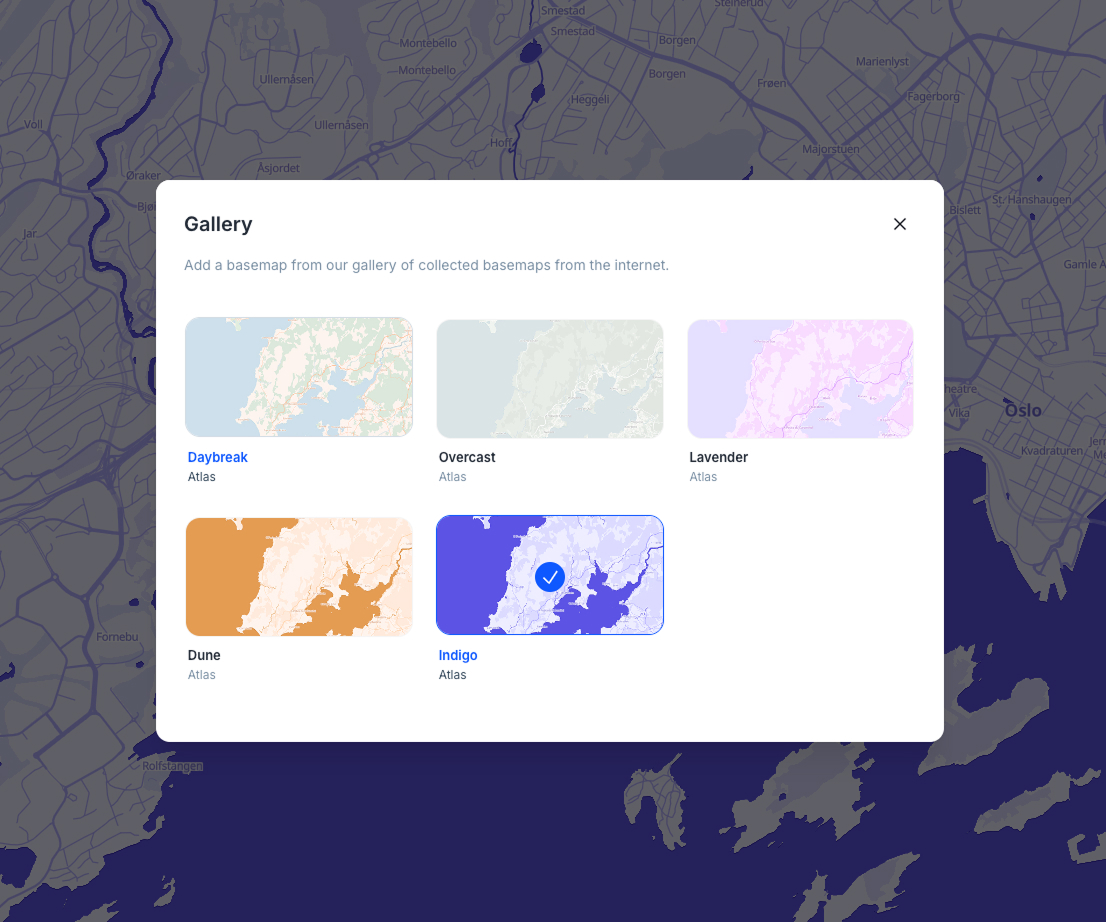
We've expanded your mapping options with five beautifully crafted basemaps: Daybreak, Overcast, Lavender, Dune, and Indigo. Each style offers a unique visual approach to your geospatial data, giving you more creative control over how your maps are presented. The new styles are now available in the basemap gallery with an improved responsive design that adapts seamlessly across different screen sizes.
Enhanced Image Carousel for Feature Popups
Feature popups now support multiple images with an elegant carousel interface. When multiple images are attached to a feature, you can navigate through them using intuitive controls. The system intelligently displays dot indicators for up to 5 images and switches to a counter pill for larger collections, ensuring clean presentation regardless of the number of images.
Improved Mobile Search Functionality
The mobile interface now includes a fully functional location search drawer. Previously non-functional search buttons on mobile devices now open a dedicated search interface, making it easier to find and navigate to specific locations when working on smaller screens.
Fixes and Improvements
- Fixed search results from shifting position when hovering over them by improving the layout stability
- Corrected marker positioning in the georeferencing tool so the pointed tip accurately indicates the selected coordinates
- Enhanced zoom behavior in the georeferencing modal to feel more consistent with standard map interactions
- Improved color palette functionality where increasing step counts now properly updates color pickers with new interpolated colors
- Fixed data table header menu positioning issues in widget views by implementing proper portal-based rendering
- Enhanced form submission modal with better responsive design and improved spacing throughout the form editor
- Resolved issue where popups were incorrectly enabled every time the raster sidebar was opened
- Improved drag-and-drop functionality in field lists by fixing conflicts between drag handles and delete buttons
- Introduced consistent warning button styling throughout the interface
- Enhanced mobile form experience with better responsive layout that adapts to smaller screens
- Improved onboarding form responsiveness with extracted preview components and better grid layouts
- Fixed dropdown menus in legend panels to prevent accidental dragging
- Enhanced upload file buttons with improved visual design and better mobile styling
- Centralized access level checking for projects to improve security and maintainability
- Added empty folder feedback improvements for better file management experience
- Improved publish tab messaging to clarify that only map owners can make maps public
- Added better error handling for georeferencing with invalid bounds