
The best spatial data comes from the field. Whether you're conducting environmental surveys, inspecting infrastructure, managing assets, or collecting customer locations, you need tools that work where your data lives—not just at your desk.
Modern field data collection apps have evolved far beyond simple GPS logging. In 2026, they offer offline capabilities, custom forms, photo and video capture, real-time sync, and seamless integration with desktop GIS platforms. The right app transforms fieldwork from clipboard-and-spreadsheet chaos into structured, accurate, instantly usable data.
Here's our guide to the best mapping apps for field data collection in 2026.
1. Atlas Forms
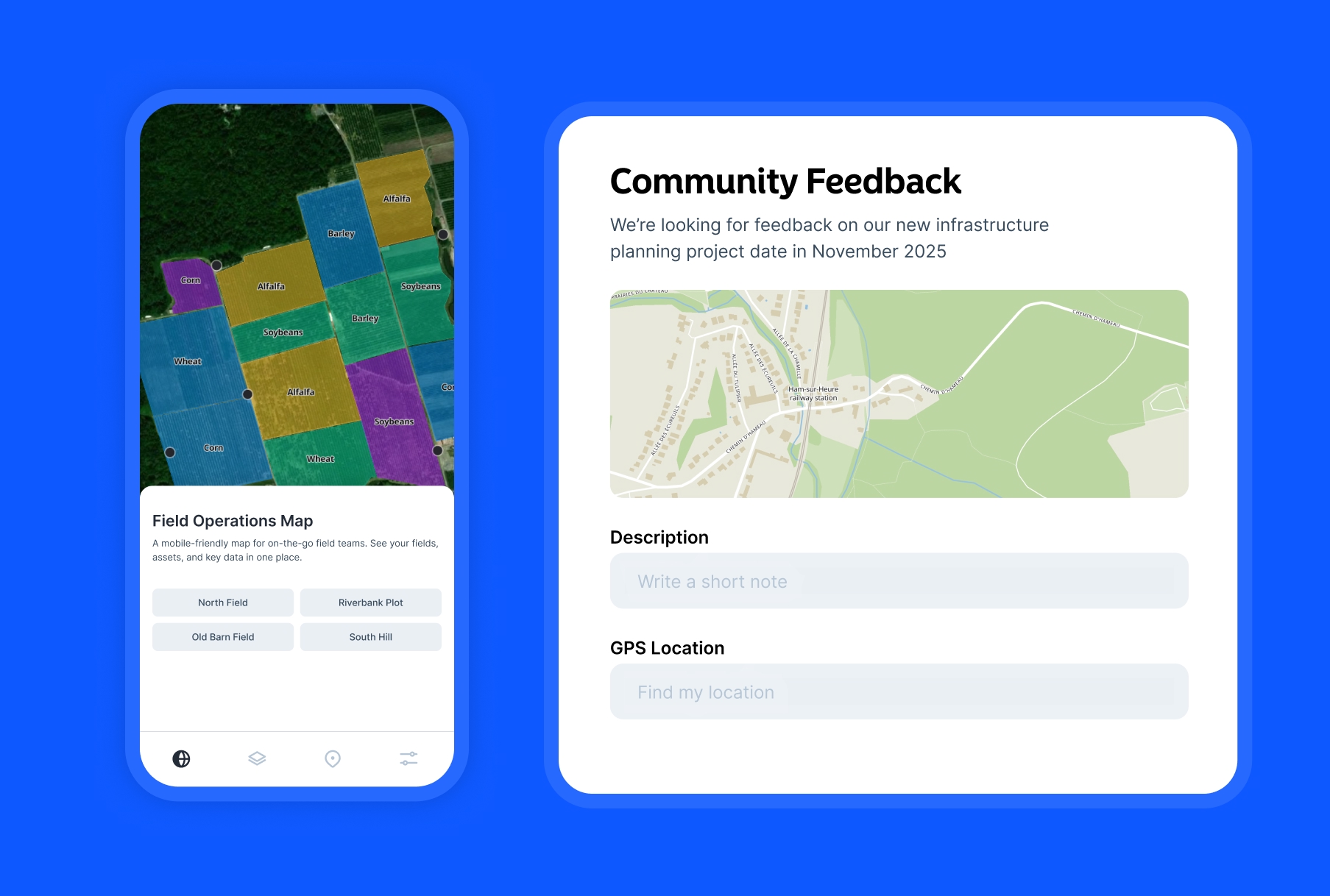
Atlas Forms is a modern field data collection solution that connects directly to your Atlas maps. Design custom forms in the browser, deploy them instantly to mobile devices, and watch data sync in real-time to your team's shared maps—no complex setup required.
- Features: Drag-and-drop form builder, photo/video capture, GPS location, conditional logic, real-time sync to Atlas maps, and team collaboration.
- Best For: Teams already using Atlas who need seamless field-to-map workflows without learning new tools.
- Pros: Instant sync to Atlas maps, intuitive form builder, real-time collaboration, no separate license needed.
- Cons: Requires Atlas account, newer platform still expanding features.
- Platforms: Web (mobile and desktop)
- Pricing: Free
- Website: Atlas Forms
2. Esri Field Maps
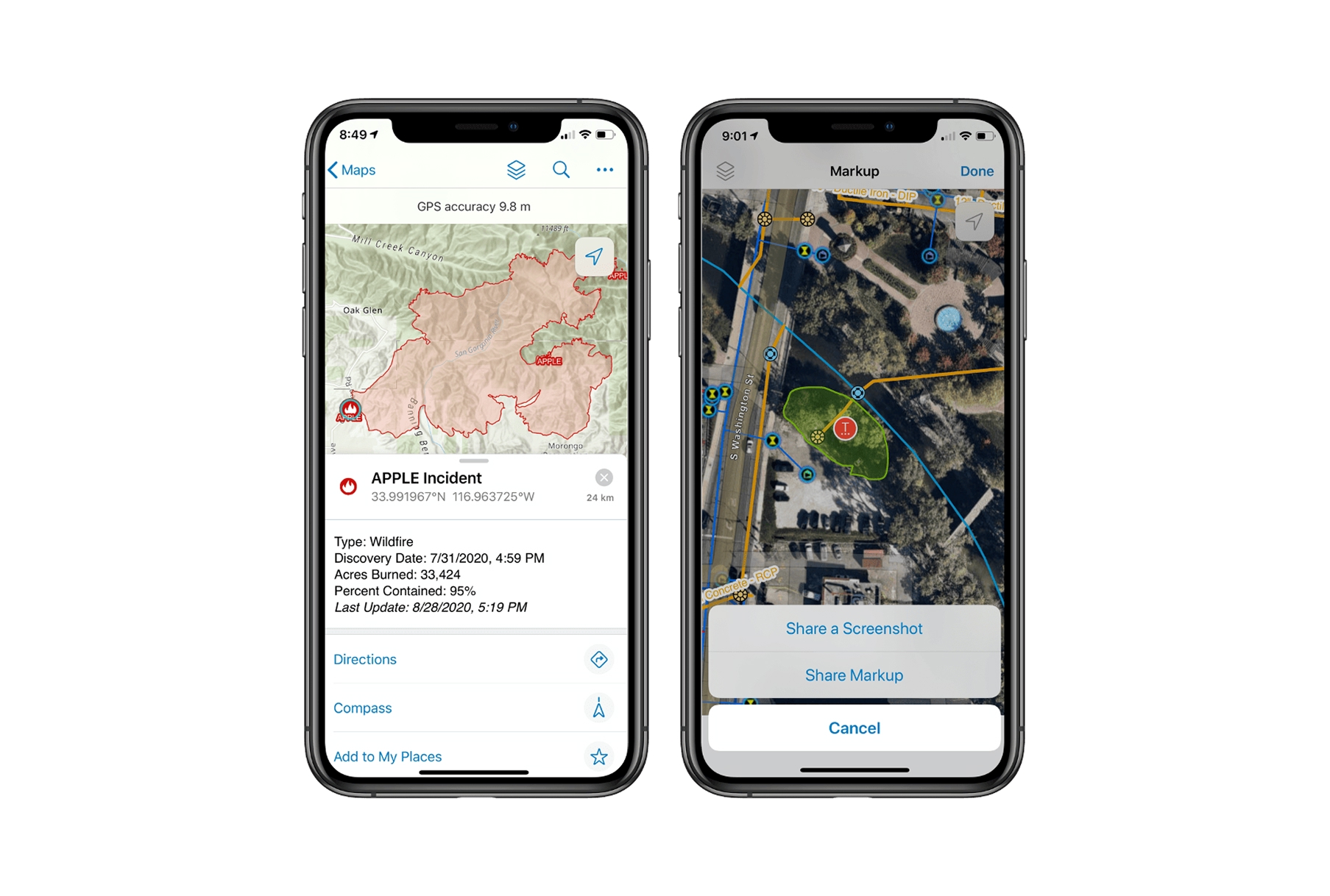
Esri Field Maps is the unified mobile solution for organizations using ArcGIS. It combines the functionality of Collector and Explorer into a single powerful app for viewing maps, collecting data, and sharing location in real-time.
- Features: Offline maps, GPS/GNSS integration, custom forms, markup tools, floor-aware maps, location sharing, and deep ArcGIS integration.
- Best For: Organizations already invested in the Esri ecosystem needing enterprise-grade field collection.
- Pros: Seamless ArcGIS integration, high-accuracy GPS support, robust offline capabilities, enterprise security.
- Cons: Requires ArcGIS Online or Enterprise license, complex setup, expensive for small teams.
- Platforms: iOS, Android.
- Pricing: Included with ArcGIS Online (from $125/user/year).
- Website: Field Maps
3. Mergin Maps
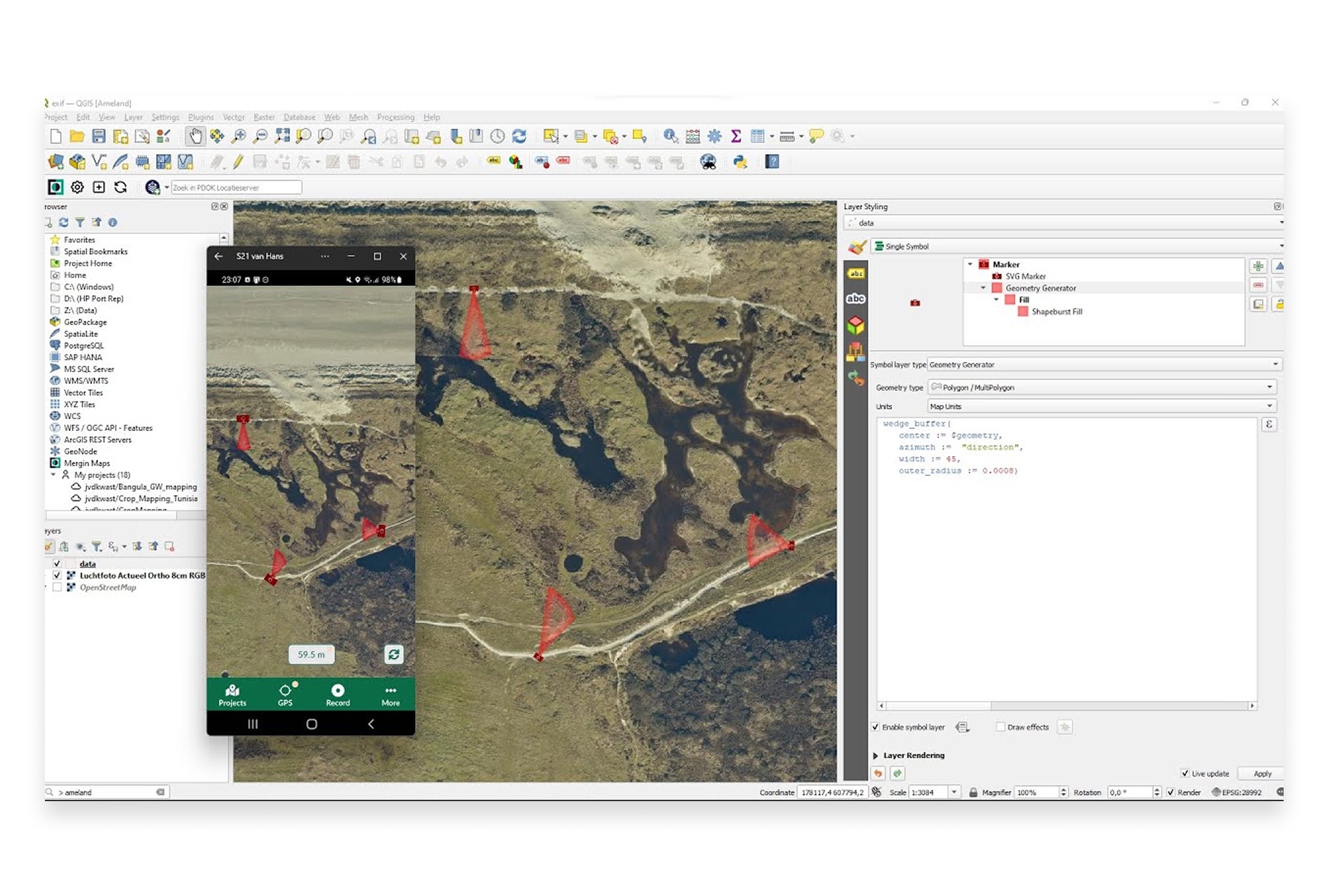
Mergin Maps brings QGIS projects to your mobile device for field data collection. It's the go-to solution for QGIS users who need to collect and sync data in the field without switching ecosystems.
- Features: QGIS project sync, offline editing, GPS tracking, photo capture, version history, team collaboration, and conflict resolution.
- Best For: QGIS users who want seamless mobile-to-desktop workflows.
- Pros: Direct QGIS integration, open-source friendly, affordable, works offline, good sync capabilities.
- Cons: Requires QGIS knowledge for project setup, mobile app less polished than competitors.
- Platforms: iOS, Android.
- Pricing: Free tier (100MB), Pro from €25/month.
- Website: Mergin Maps
4. Fulcrum
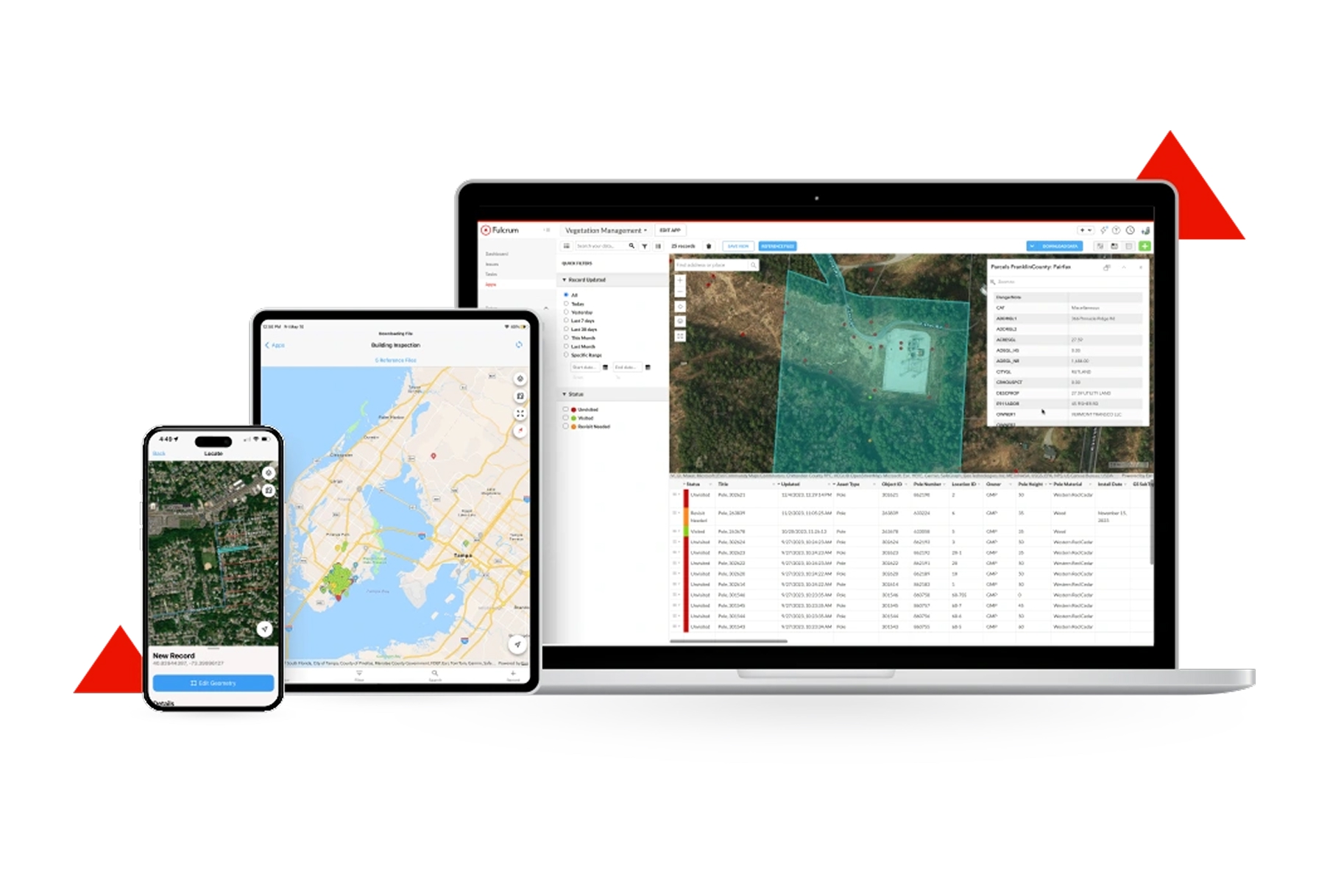
Fulcrum is a powerful field data collection platform focused on customizable forms and workflows. It's particularly strong for inspections, surveys, and any structured data collection that requires consistency across teams.
- Features: Drag-and-drop form builder, offline collection, photo/video/audio capture, GPS location, repeatable sections, calculations, and extensive integrations.
- Best For: Organizations needing highly customized forms for inspections, surveys, and compliance.
- Pros: Excellent form builder, strong offline mode, good integrations, user-friendly interface.
- Cons: Less focused on traditional GIS workflows, can get expensive at scale.
- Platforms: iOS, Android, Web.
- Pricing: Starter from $25/user/month.
- Website: Fulcrum
5. Survey123 for ArcGIS
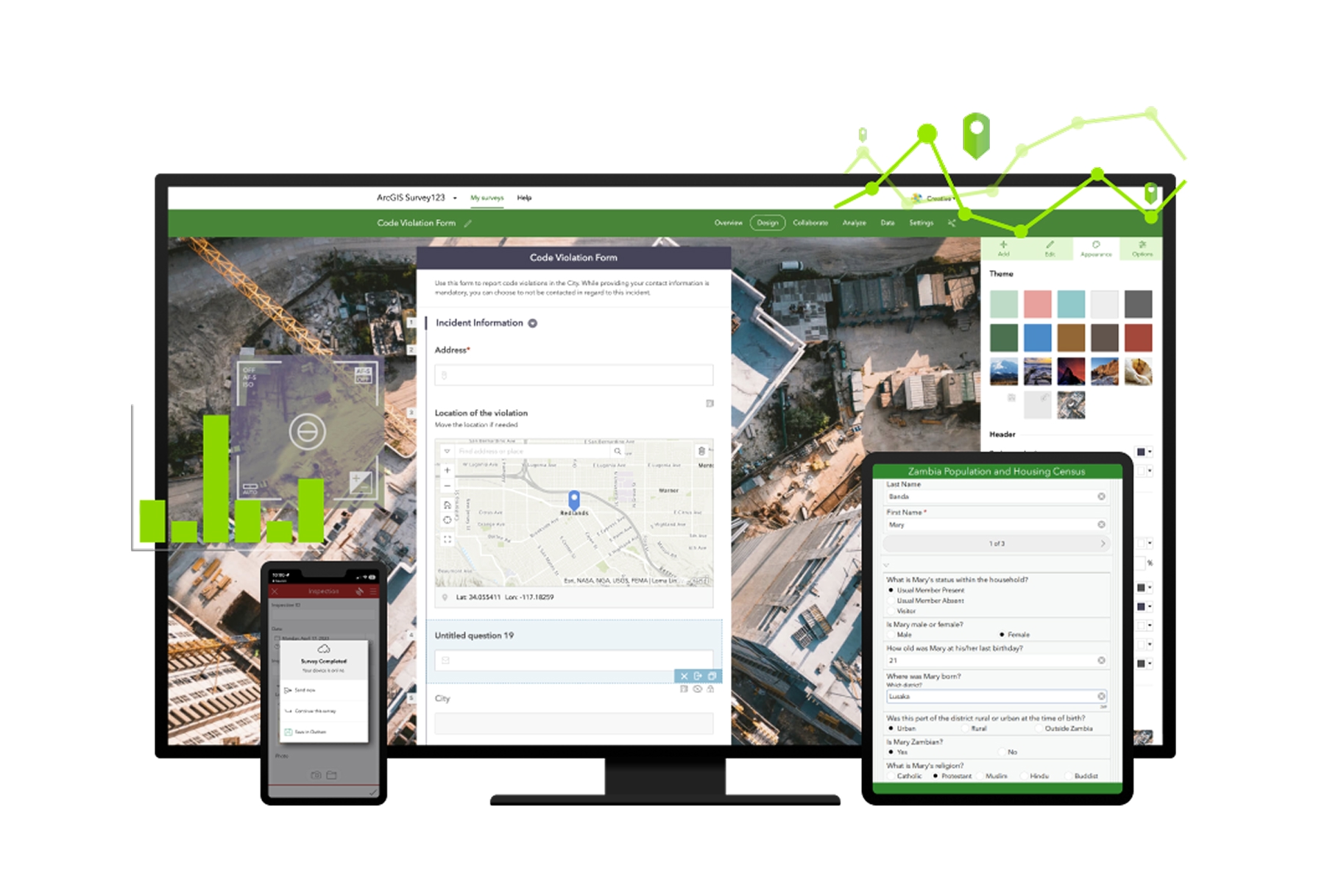
Survey123 is Esri's form-centric data collection app. While Field Maps focuses on map-based collection, Survey123 excels at structured surveys and assessments where the form is the primary interface.
- Features: Smart forms with skip logic, calculations, repeats, offline collection, image markup, report generation, and ArcGIS integration.
- Best For: Survey-focused workflows where forms take priority over map interaction.
- Pros: Powerful form logic, great for structured surveys, generates reports automatically, works offline.
- Cons: Less map-centric than Field Maps, requires ArcGIS license, can be complex to configure.
- Platforms: iOS, Android, Web.
- Pricing: Included with ArcGIS Online (from $125/user/year).
- Website: Survey123
6. KoBoToolbox

KoBoToolbox is a free, open-source field data collection platform widely used by humanitarian organizations, researchers, and NGOs. It's designed for challenging environments where resources are limited.
- Features: Form builder, offline collection, GPS capture, skip logic, multilingual forms, team management, and data visualization.
- Best For: Humanitarian organizations, researchers, and NGOs with limited budgets.
- Pros: Completely free for humanitarian use, robust offline mode, battle-tested in challenging conditions, open-source.
- Cons: Less polished interface, limited GIS integration, fewer advanced mapping features.
- Platforms: iOS, Android, Web.
- Pricing: Free for humanitarian use, hosted plans for others.
- Website: KoBoToolbox
7. Avenza Maps
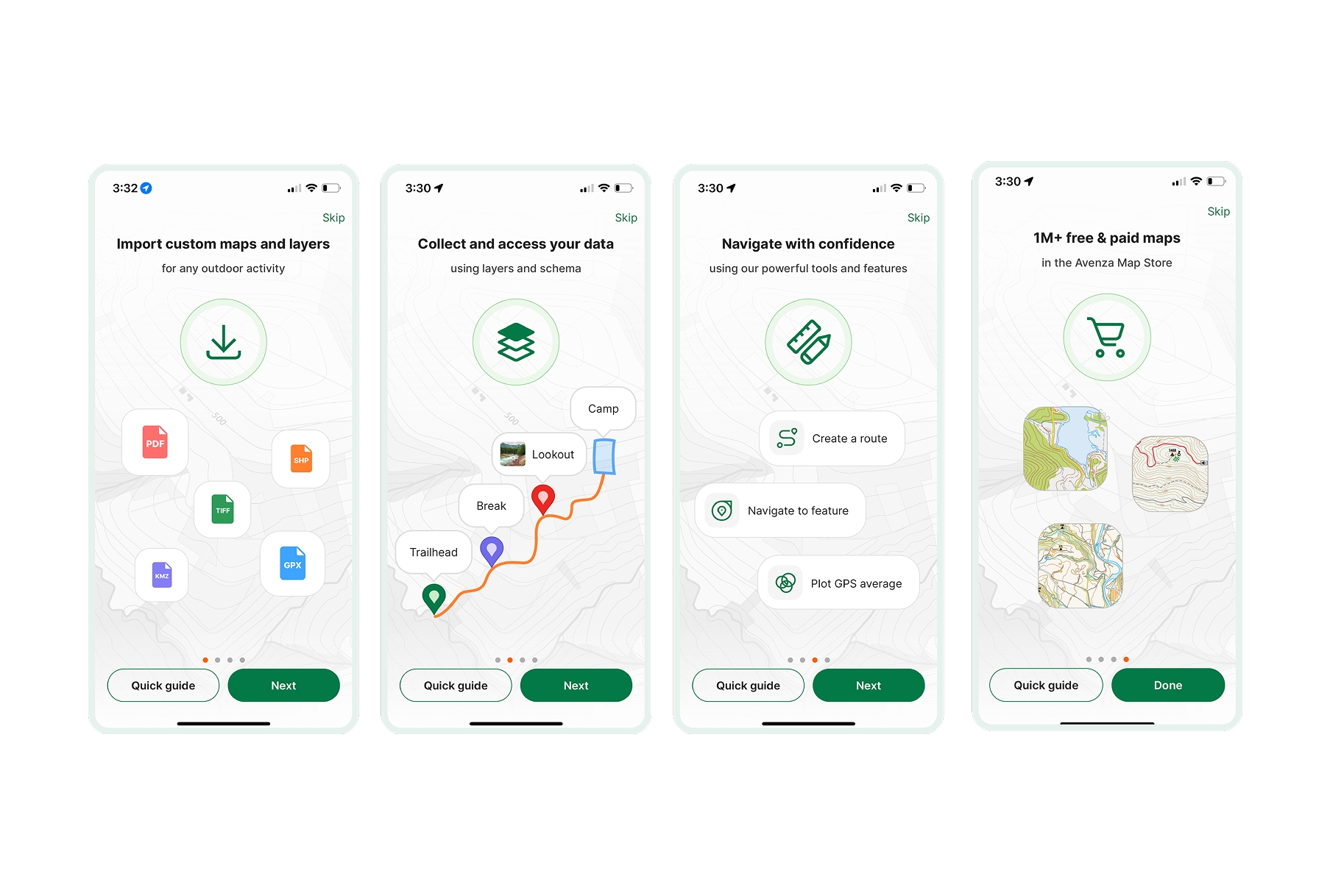
Avenza Maps turns your mobile device into a GPS-enabled map viewer with data collection capabilities. It's unique in supporting georeferenced PDF and image files as offline basemaps.
- Features: Georeferenced PDF/TIFF support, GPS tracking, waypoint/route recording, custom markers, measurements, and map store.
- Best For: Field workers who need custom maps (topographic, forestry, mining) with GPS tracking.
- Pros: Works with any georeferenced map, great for custom basemaps, simple to use, good GPS accuracy.
- Cons: Less robust for complex data collection, form capabilities are basic, no team sync.
- Platforms: iOS, Android.
- Pricing: Free tier (3 maps), Pro from $9.99/month.
- Website: Avenza Maps
8. ODK (Open Data Kit)
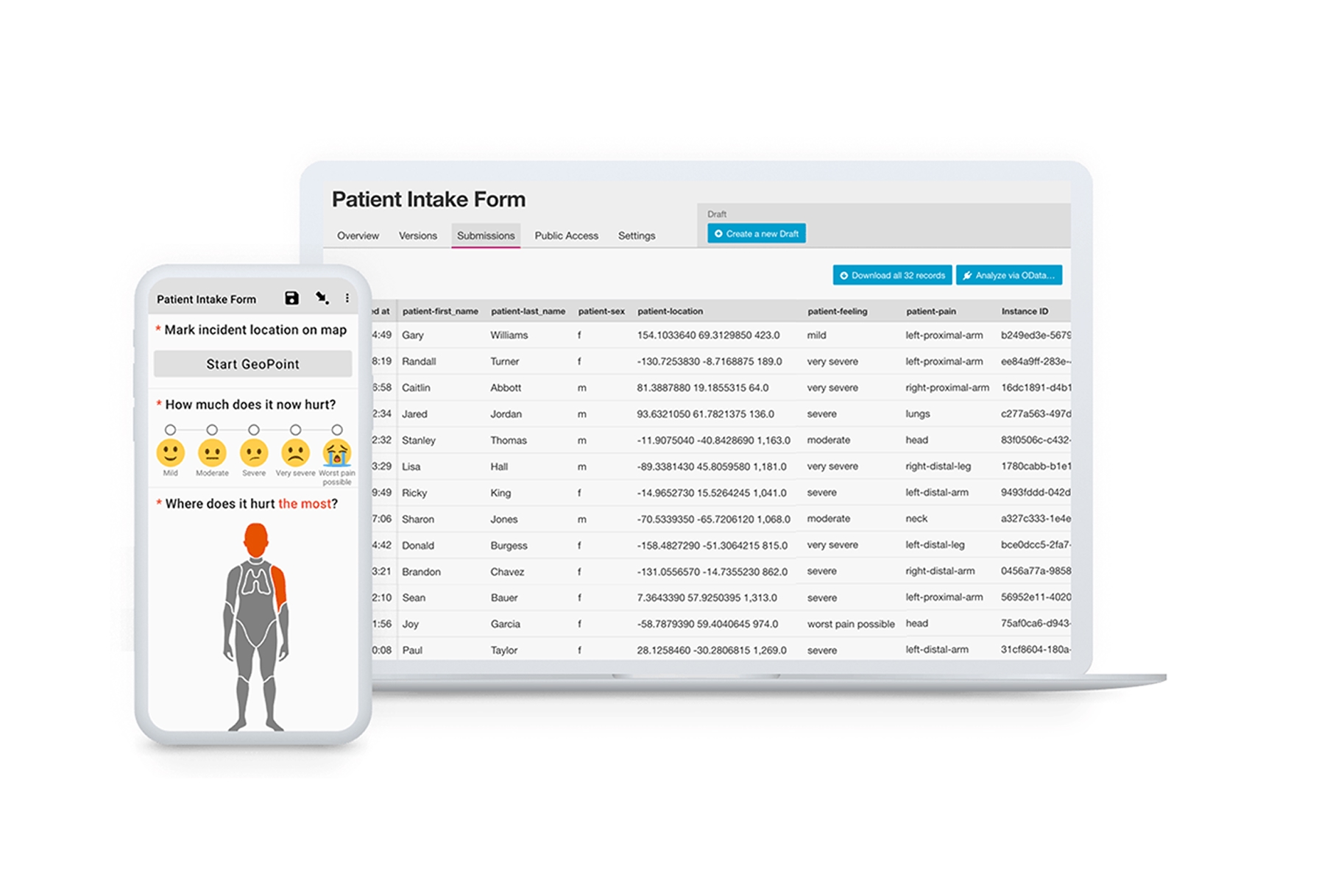
ODK is an open-source ecosystem for mobile data collection used by thousands of organizations worldwide. It's highly flexible and can be self-hosted for complete data control.
- Features: XLSForm-based form design, offline collection, GPS/photos/audio/video, skip logic, repeating groups, and multiple server options.
- Best For: Organizations needing flexible, self-hosted data collection with full control.
- Pros: Completely open-source, highly customizable, self-hosting option, large community, free.
- Cons: Requires technical setup, less polished UX, steeper learning curve.
- Platforms: Android (ODK Collect), Web.
- Pricing: Free and open-source.
- Website: ODK
9. SW Maps

SW Maps is a free GIS data collector for Android that supports external GPS receivers and offers surprisingly robust capabilities for a free app.
- Features: Shapefile/GeoJSON/KML support, external GPS/GNSS support, attribute editing, background tracking, and offline maps.
- Best For: Individual users and small teams on Android needing free, capable field GIS.
- Pros: Completely free, supports high-accuracy GPS receivers, handles standard GIS formats, good feature set.
- Cons: Android only, less polished interface, no cloud sync, limited team features.
- Platforms: Android.
- Pricing: Free.
- Website: SW Maps
10. Mappt
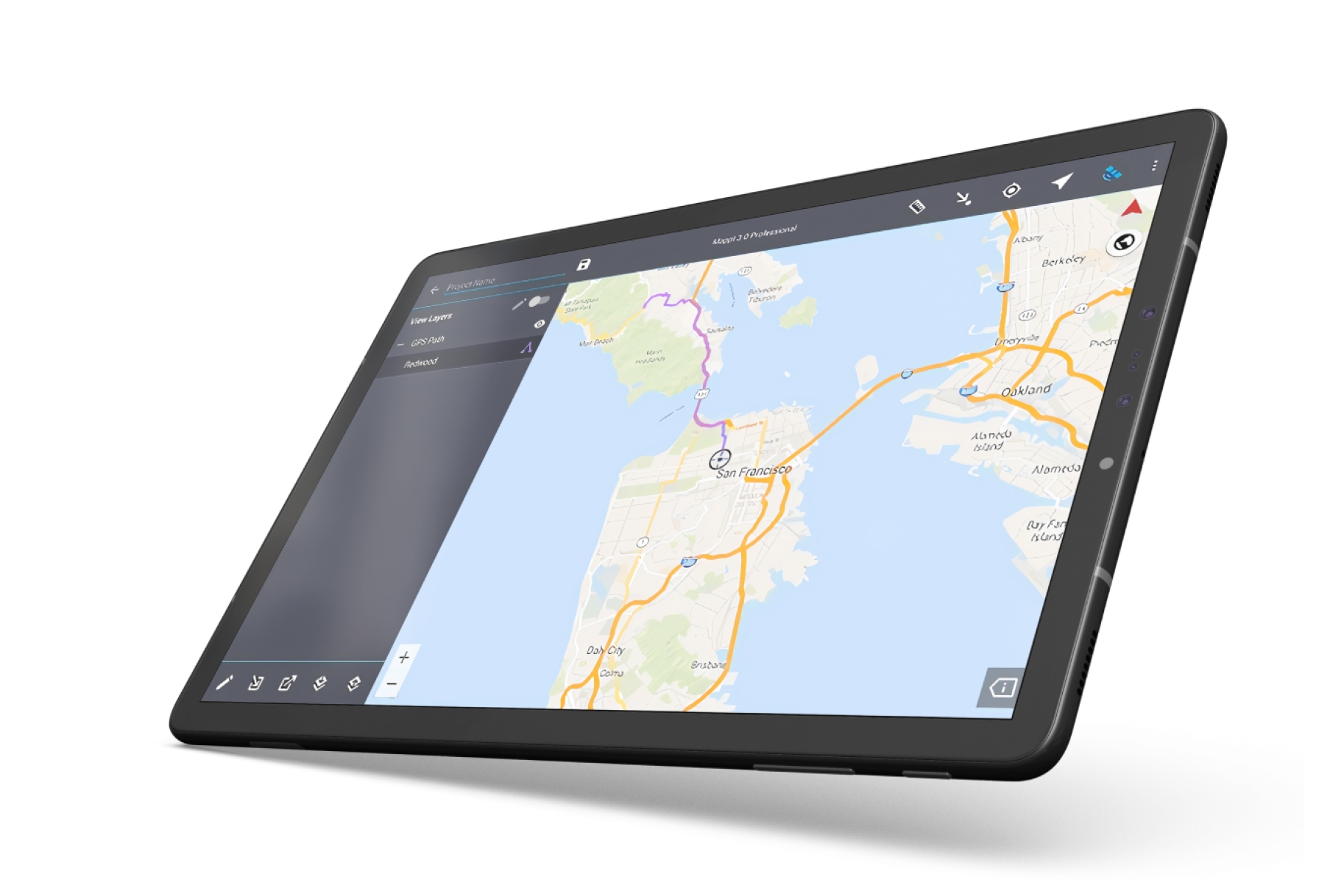
Mappt is an Australian-developed field GIS app focused on simplicity and getting work done. It's designed for field professionals who need to collect data without GIS expertise.
- Features: Offline maps, GPS data collection, photo capture, shapefile support, simple form builder, and cloud sync.
- Best For: Field workers who need straightforward data collection without complexity.
- Pros: Simple to use, works offline, reasonable pricing, good customer support.
- Cons: Fewer advanced features, smaller user community, limited integrations.
- Platforms: iOS, Android.
- Pricing: From $25/user/month.
- Website: Mappt
11. ArcGIS QuickCapture
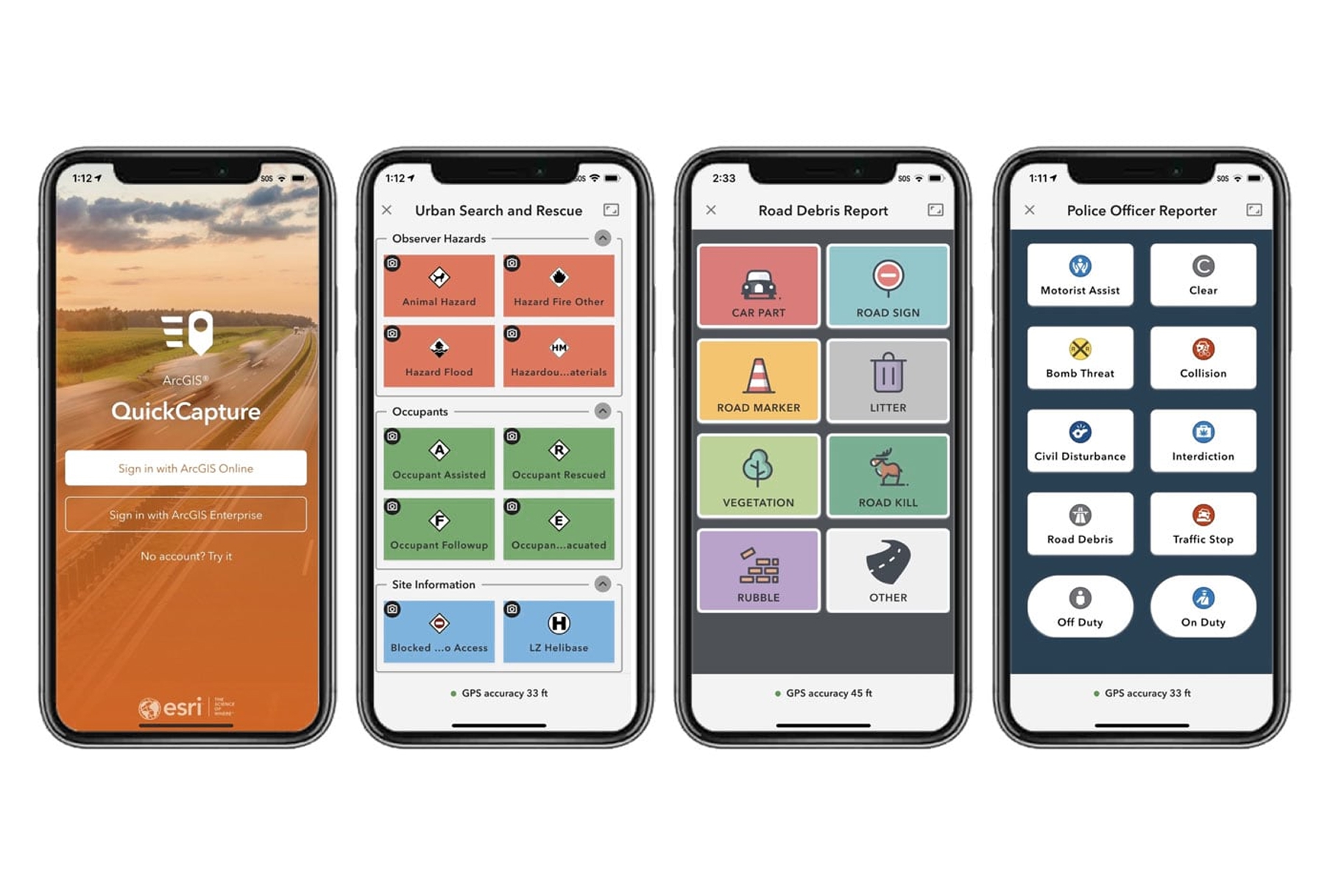
ArcGIS QuickCapture is designed for rapid, high-volume data collection. Instead of filling out forms, users tap large buttons to instantly capture observations with automatic location, time, and user stamping.
- Features: One-tap capture, customizable button layouts, offline mode, photo capture, automatic attribution, and real-time streaming.
- Best For: Rapid field observations, damage assessments, and high-volume data capture.
- Pros: Fastest way to capture simple observations, minimal training needed, works at driving speed.
- Cons: Limited to simple data capture, requires ArcGIS license, not for complex forms.
- Platforms: iOS, Android.
- Pricing: Included with ArcGIS Online (from $125/user/year).
- Website: QuickCapture
Choosing the Right Field Collection App
The best app depends on your existing tools and workflow:
- For Atlas users: Atlas Forms provides seamless field-to-map workflows with real-time sync.
- For Esri/ArcGIS users: Field Maps, Survey123, or QuickCapture depending on whether you need map-centric, form-centric, or rapid collection.
- For QGIS users: Mergin Maps provides seamless integration with your desktop workflow.
- For custom forms and inspections: Fulcrum offers a powerful standalone form builder.
- For humanitarian and research: KoBoToolbox and ODK are free, battle-tested options.
- For custom basemaps: Avenza Maps handles georeferenced PDFs and images.
- For budget-conscious Android users: SW Maps is surprisingly capable and completely free.
Key Features to Consider
When evaluating field data collection apps, prioritize:
- Offline capability: Field work often happens without connectivity. Ensure your app works fully offline.
- GPS accuracy: Consider whether you need high-accuracy GNSS receiver support for survey-grade positioning.
- Form flexibility: Complex surveys need skip logic, calculations, and repeating sections.
- Sync and collaboration: Teams need reliable data sync and conflict resolution.
- Integration: Your field app should feed directly into your desktop GIS or database.
The gap between field and office continues to shrink. With the right mobile app, data collected in the morning can be analyzed and mapped by afternoon—no manual transcription, no data entry errors, no lost notebooks. Choose the app that fits your workflow, and let the technology handle the tedious parts.



